Study planning
How to organize an entire semester in one study workspace
A practical system for organizing university courses, lecture materials, recurring classes, deadlines, attendance, and study sessions without maintaining disconnected apps.
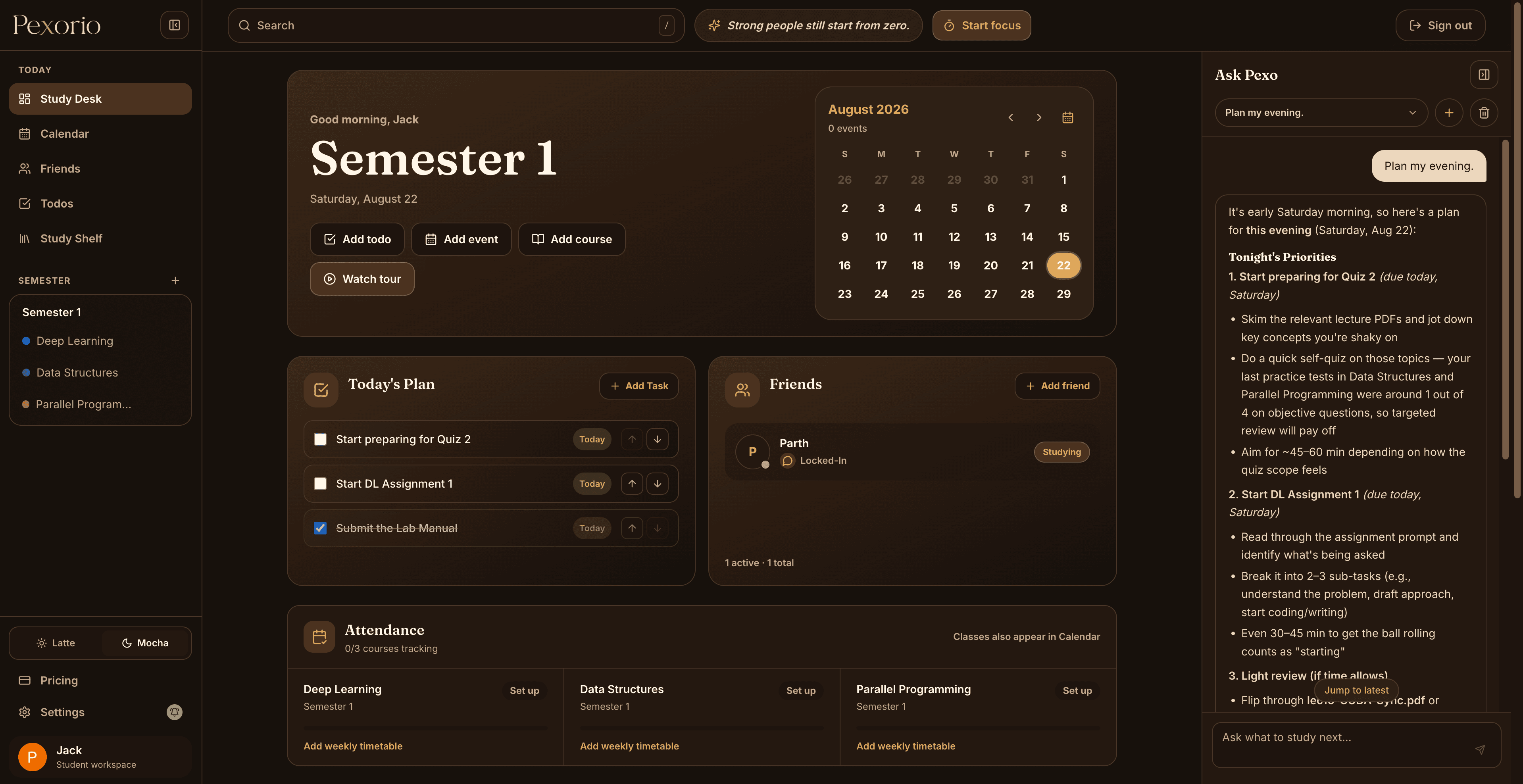
A semester rarely becomes disorganized in one dramatic moment. It happens gradually: a lecture PDF stays in Downloads, a deadline lives in a group chat, attendance is counted in a note, and the study plan exists only in memory.
The useful alternative is not to track more information. It is to give each piece of information one dependable home and connect it to the course where it will be used.
01
Begin with the semester and its active courses
Create the semester first, then add only the courses that are active now. Give every course a clear name, an optional compact code, and a distinct color. The code makes calendar labels readable; the full name remains useful in course pages and event details.
This structure becomes the map for everything else. A lecture, assignment, practice test, and attendance record should all answer the same question: which course does this belong to?
- Use the official course name rather than a temporary label such as New Course.
- Add a short code only when it is already familiar to you.
- Choose colors that remain distinguishable in both light and dark themes.
02
Build the timetable before adding isolated events
Recurring lectures create the fixed shape of a week. Add those first, including their usual start time, end time, and room. A calendar is much easier to read when each event occupies its actual duration and the free periods stay visibly empty.
After the timetable is in place, add exams, assignment deadlines, appointments, and personal study blocks. This order makes it clear which work must fit around classes instead of treating every event as unrelated.
- Review the Week view to understand recurring pressure points.
- Use Day view when deciding how to use gaps between classes.
- Open an event for the full course name, room, and notes when the compact label is shortened.
03
Store material where you will ask questions about it
Move lecture PDFs, worksheets, PYQs, assignments, and references into the relevant course workspace. The purpose is not merely tidy storage. The course structure gives later questions, study sessions, and practice tests a defined source.
Use descriptive filenames when the original file is vague. A title such as lec17-CUDA-Matmul.pdf is more useful three weeks later than final2.pdf.
- Lectures provide the main concept sequence.
- Worksheets show the expected problem-solving style.
- PYQs provide evidence about previous assessment patterns.
04
Separate tasks from study scope
A todo should describe an outcome: finish the synchronization worksheet, annotate the GAT paper, or revise three CUDA topics. The study session then defines how that work will happen and which material it will use.
This distinction prevents vague tasks such as study physics from staying on the list indefinitely. A useful task can be completed; a useful study session has a deliberate boundary.
- Keep today's list short enough to finish.
- Attach a course and due date when they affect priority.
- Move broad revision into selected topics inside a study session.
05
Review attendance as a changing ratio
Attendance targets apply to the growing total of classes held. If you have attended 6 of 10 classes, attending one more changes the ratio to 7 of 11, not 7 of 10. Recovery therefore takes more than the simple percentage-point gap might suggest.
Record each occurrence consistently and review how many consecutive classes are needed to reach the target. Treat the result as a planning aid and confirm how your institution handles late attendance, excused absences, cancellations, and rounding.
06
Use one weekly reset
Once a week, check upcoming deadlines, missing materials, attendance risk, and unfinished tasks. Then choose the lectures or topics that deserve the next study sessions and practice tests.
The reset should be short. Its job is to restore trust in the workspace, not become another large planning ritual.
- Clear completed or irrelevant todos.
- Add newly announced deadlines and changed class times.
- Choose the next one or two study blocks from actual course material.
A useful system should reduce friction.
A connected semester workspace should reduce decisions, not create more administration. Start with courses and the timetable, attach material to its course, and let tasks, attendance, study sessions, and practice build on that structure.
Explore semester planning and attendance in Pexorio