Choose a study mode
Use Default Tutor for balanced study, Exam Rush for concise revision, or Deep Dive when a difficult topic needs more context.
Guided study sessions
Choose the course, select the material and topics, and set the depth before you begin. Pexorio keeps the session tied to what you are actually studying.
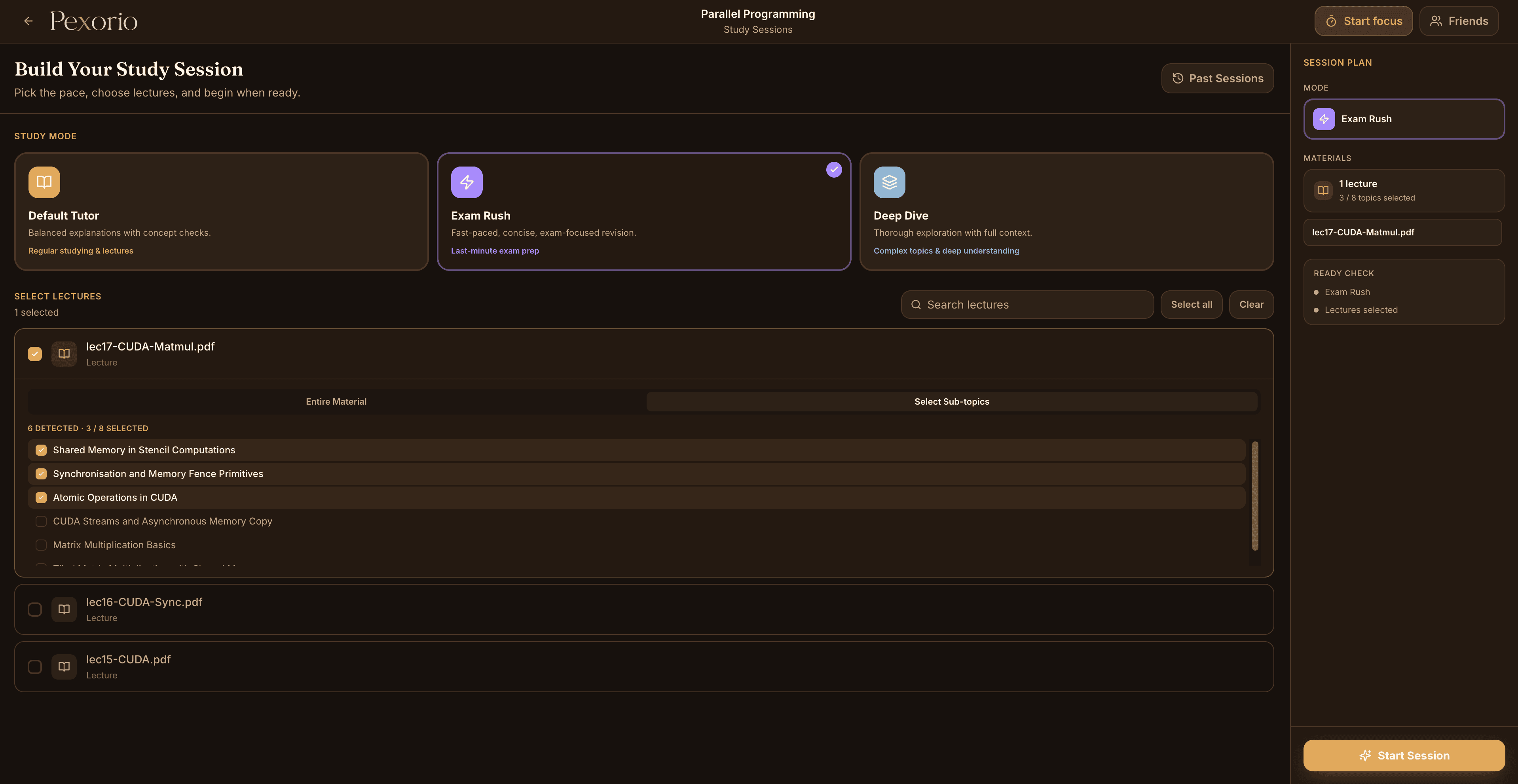
A study session is easier to finish when its material, topics, and pace are decided before it starts. Pexorio turns those choices into a clear session plan.
Students can select an entire lecture or choose particular subtopics. When a material contains more topics than one session can cover, the remaining topics stay available for another session.
How it works
Use Default Tutor for balanced study, Exam Rush for concise revision, or Deep Dive when a difficult topic needs more context.
Use the detected topic map to see exactly what the session will include instead of wondering which sections were skipped.
Move through explanations and concept checks in one guided flow, then use practice when you want a more exam-like test.
01
Not every session needs the same pace. A first pass through a new lecture is different from revision the night before a quiz.
The mode changes how concise or exploratory the session should be while the selected source material remains the foundation.
02
Pexorio maps the complete material before filling the session's topic capacity. The selected topics remain visible even when Entire Material is chosen.
That makes the scope inspectable before the session begins and leaves later sections available for the next study block.
Use academic judgement. A guided session supports revision, but it does not replace reading required material or completing assessed work. Select a realistic scope and verify important course details at the source.
Continue reading